I may earn a commission at no extra cost to you. #ad
Free Guide: Advanced Authentication Strategies for High-Value Digital Portfolios
Jump to Section
When managing high-value digital portfolios—whether they consist of cryptocurrencies, rare domain names, or sensitive intellectual property—the standard "username and password" model is effectively obsolete. In an era of automated credential stuffing, sophisticated phishing, and SIM-swapping, the strength of your authentication layer is the only thing standing between your assets and total loss.
This guide explores advanced authentication frameworks designed specifically for individuals and organizations managing significant digital wealth. We will move beyond basic security tips into the realm of professional-grade defense-in-depth strategies.
Beyond SMS and TOTP: The Hierarchy of Security
Most users believe that having Multi-Factor Authentication (MFA) enabled makes them "safe." However, not all MFA is created equal. To secure a high-value portfolio, you must understand the hierarchy of authentication strength.
SMS-Based MFA: This is the weakest link. Through SIM-swapping—where an attacker social-engineers a mobile carrier into porting your number to their device—attackers can intercept your login codes. For high-value accounts, SMS MFA should be disabled entirely.
TOTP (Time-based One-Time Password): Apps like Google Authenticator or Raivo OTP generate codes every 30 seconds. While significantly better than SMS, TOTP is still vulnerable to "real-time phishing." An attacker can trick you into entering your code on a fake site and immediately use it on the real site.
U2F and WebAuthn: The Gold Standard
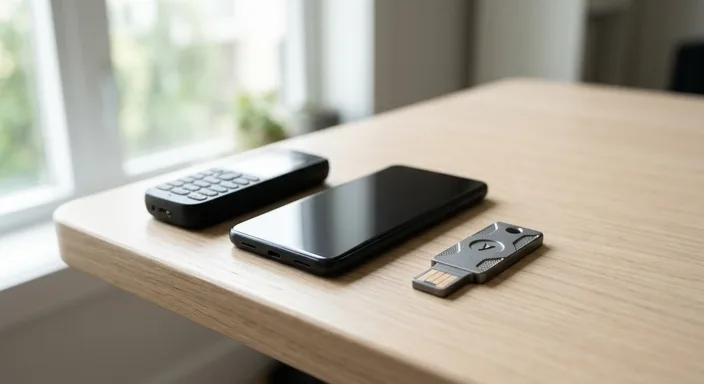
Universal 2nd Factor (U2F) and its successor, WebAuthn, represent the pinnacle of modern authentication. This strategy utilizes physical hardware security keys (such as YubiKeys or Ledger devices) to verify identity.
Unlike TOTP, hardware keys use public-key cryptography. When you log in, the browser communicates directly with the hardware key. The key will only sign the login request if the domain matches the one registered. This makes hardware keys 100% immune to traditional phishing; even if you are on a perfect replica of a site, the hardware key will refuse to provide the credential because the domain name doesn't match.
For high-value portfolios, every core entry point—your primary email, your exchange accounts, and your password manager—must be locked behind a physical U2F key.
Biometric Entropy and Hardware-Bound Credentials
Advanced practitioners are now moving toward "Passkeys" and hardware-bound biometrics. This approach replaces the password entirely with a cryptographic pair stored on a Secure Enclave (like Apple's T2 chip or a phone's Titan M2 chip).
By using biometrics (FaceID/TouchID) to unlock a hardware-bound private key, you eliminate the risk of keyloggers. There is no password to steal. For digital portfolios, ensuring that your local management device (laptop or tablet) requires biometric verification for every sensitive action creates a critical friction point that prevents unauthorized "drive-by" access if your device is stolen while unlocked.
Designing a Redundant Fail-Safe Loop
The biggest fear with high-security authentication is being locked out of your own accounts. A single hardware key is a single point of failure. To mitigate this, you must design a redundant loop:
- Primary Key: On your keychain for daily use.
- Secondary Key: Kept in a secure home safe.
- Tertiary Key: Kept in an off-site location (e.g., a safety deposit box or a trusted family member's home).
Most major platforms (Google, GitHub, Binance, Kraken) allow you to register multiple security keys. You should always register at least two before disabling other forms of MFA.
Anti-Phishing and Zero-Trust Verification
Even with great MFA, social engineering remains a threat. High-value targets are often hit with sophisticated "Zero-Day" phishing attacks or "Man-in-the-Middle" (MiTM) sessions.
Implement a Zero-Trust approach to your digital life. This means assuming that any incoming communication (email, DM, or even a voice call) is potentially compromised. Never click links in emails to access your portfolio. Instead, use "Hard Bookmarks"—pre-saved, verified URLs that you use every time to navigate to your financial dashboards. This bypasses the possibility of clicking a homograph URL (e.g., swapping a 'q' for a 'g').
Securing the Recovery Path and Physical Custody
Your authentication is only as strong as your recovery method. If an attacker can click "I forgot my password" and reset it via a weakly-secured email account, your hardware keys are useless.
1. Email Isolation: Use a dedicated, "silent" email address for your high-value accounts that is not used for social media or general web browsing.
2. Backup Codes: When you set up MFA, you are given "One-Time Recovery Codes." These are often stored insecurely in "Downloads" folders. These must be printed out and stored with the same level of security as your hardware wallet's seed phrase.
3. Cloud Backups: Disable SMS recovery on all accounts. If a platform forces a phone number, use a VoIP service like Google Voice (secured with its own hardware key) rather than a physical SIM card.
Frequently Asked Questions
YubiKey 5 Series is widely considered the industry standard due to its support for U2F, FIDO2, and TOTP. However, Ledger and Trezor hardware wallets can also function as FIDO U2F keys for certain applications.
Yes, if it is your only method of authentication. This is why it is critical to register at least two keys or safely store your recovery "backup codes" in a physical format.
While better than nothing, Google Authenticator is vulnerable to phishing and device theft. For a $100k+ portfolio, upgrading to a physical U2F security key is highly recommended to eliminate phishing risks.
Absolutely. A password manager (like Bitwarden or 1Password) allows you to use unique, 64-character passwords for every site. You then secure the password manager itself with your hardware security key.