Free Guide: Step-by-Step Setup for Your First Portable Cold Storage Device
Jump to Section
In the world of digital assets, security is not just a luxury—it is a necessity. As the saying goes, "Not your keys, not your coins." If you keep your cryptocurrency on an exchange or in a software wallet connected to the internet, you are essentially trusting a third party or a potentially compromised operating system with your wealth. Portable cold storage devices, commonly known as hardware wallets, solve this by keeping your private keys entirely offline. This guide will walk you through the essential steps to setting up your first device correctly.
Choosing Your Portable Cold Storage Device
Before you even begin the setup, you must ensure you have the right hardware. The market is led by a few reputable manufacturers like Ledger, Trezor, and BitBox. When choosing a device, consider factors such as coin support, ease of use, and the level of physical security (such as Secure Element chips).
The most critical rule of purchasing a cold storage device is to **only buy directly from the manufacturer or an authorized reseller**. Never buy a used device from eBay or third-party marketplaces. A tampered device could be pre-configured with a recovery seed that the attacker already knows, allowing them to drain your funds the moment you deposit them.
Unboxing and Physical Verification
Once your device arrives, examine the packaging. Most manufacturers use tamper-evident seals or shrink-wrap. However, keep in mind that modern attackers can sometimes replicate these. The real security check happens during the software initialization phase, but a visual inspection for physical tampering (like a pried-open casing) is a good first step.
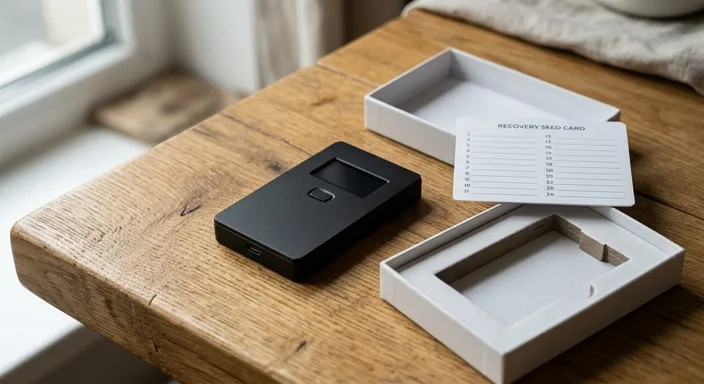
Inside the box, you should find the device, a USB cable, and several recovery seed cards. If you find a recovery card that already has words written on it, **stop immediately**. This is a scam. A legitimate device will always require you to generate a new seed phrase yourself during the setup process.
Step-by-Step Initialization Process
To begin the setup, connect your device to your computer or smartphone using the provided USB cable. You will need to download the official companion app (such as Ledger Live or Trezor Suite) from the manufacturer's official website.
Once connected, the device will prompt you to "Set up as a new device" or "Restore from recovery." Select the option to set up a new device. The first step will typically be setting a PIN code. This PIN protects the physical device from unauthorized access if it is stolen. Choose a code that is not easily guessable (avoid 1234 or 0000) and ensure it is long enough to meet the manufacturer's security standards.
Securing Your Recovery Seed Phrase
This is the most important part of the entire setup. Your device will generate a list of 12, 18, or 24 random words. This is your Recovery Seed Phrase. In the world of crypto, these words *are* your money. If your device is lost, stolen, or broken, these words allow you to recreate your wallet on a new device.
Rules for Seed Phrase Security:
- Write the words down on the physical card provided.
- Never take a photo of the words.
- Never type the words into a computer, cloud storage, or note-taking app.
- Keep the physical card in a fireproof and waterproof location.
The device will usually ask you to confirm the words by selecting them in order. This ensures you have written them down correctly. Do not skip this step or rush through it.
Verifying Your Cold Storage Connection
After the seed phrase is secured, the companion app will perform a "Genuine Check." This is a cryptographic handshake between the app and the device to ensure the hardware is authentic and has not been tampered with at a firmware level. Once this check passes, you can be confident that the device is safe to use.
It is also a good practice to update the firmware to the latest version. Manufacturers frequently release updates to patch security vulnerabilities and add support for new assets. Always perform updates through the official app interface.
Transferring Your First Assets
Now that your device is ready, it is time to move your assets. Open the companion app and select "Receive." Select the cryptocurrency you want to deposit. The app will generate a public address. At this point, the device will ask you to verify the address on its own screen.
The Golden Rule: Always compare the address on your computer screen with the address displayed on the physical screen of your cold storage device. If they do not match, your computer may be infected with "clipboard malware." Only trust the address on the device screen. Once verified, copy the address and use it to send a small "test transaction" from your exchange. Once the small amount arrives safely, you can send the remaining balance.
Maintenance and Ongoing Security
Setting up your device is just the beginning. To maintain security, you should periodically check that your recovery seed is still legible and stored safely. Some users choose to upgrade from paper cards to stainless steel seed storage plates, which protect against fire and flood damage.
Remember that the device itself is just a gateway. If someone gets your PIN, they can move funds if they have the device. If someone gets your seed phrase, they don't even need the device to steal everything. Treat your seed phrase with the highest level of secrecy possible.
Frequently Asked Questions
What is a portable cold storage device?
A portable cold storage device, often called a hardware wallet, is a physical device that stores your private keys offline, protecting them from online hacks and malware.
Is cold storage safer than an exchange?
Yes. When you store assets on an exchange, they control the keys. With cold storage, you have full custody and the keys are never exposed to the internet.
What happens if I lose my hardware wallet?
If you lose the device, you can recover your funds using your secret recovery seed phrase on a new device. Your assets are on the blockchain, not physically inside the device.
Can I set up cold storage without a computer?
Some modern portable cold storage devices can be set up using a smartphone via Bluetooth or an OTG cable, but a computer is still the most common method.