Free Guide: Securing Your Digital Assets with YubiKey and MFA Integration
Jump to Section
In the digital asset space, "Not your keys, not your coins" is the golden rule. However, even if you follow best practices for cold storage, your digital identity remains the weakest link. Most investors rely on centralized exchanges or online dashboards to manage their portfolios, and these accounts are constant targets for hackers. Standard Multi-Factor Authentication (MFA) is no longer enough to stop a sophisticated attacker.
The Vulnerability of Standard MFA
Many users believe they are safe because they use SMS-based verification or authenticator apps like Google Authenticator (TOTP). Unfortunately, these methods have significant flaws in a high-stakes environment like cryptocurrency trading.
SMS-based MFA is vulnerable to "SIM swapping," where an attacker convinces your mobile carrier to transfer your phone number to a device they control. Once they have your number, they can reset your passwords and bypass your security. App-based MFA, while safer, is still vulnerable to real-time phishing. If you accidentally log into a fake website, the attacker can capture your 6-digit code and use it instantly to drain your account.
What is a YubiKey?
A YubiKey is a physical security key developed by Yubico that provides hardware-based authentication. It looks like a small USB thumb drive but acts as a cryptographic shield for your accounts. Unlike an app that generates a code you must type, a YubiKey requires you to physically touch the device to authorize a login.
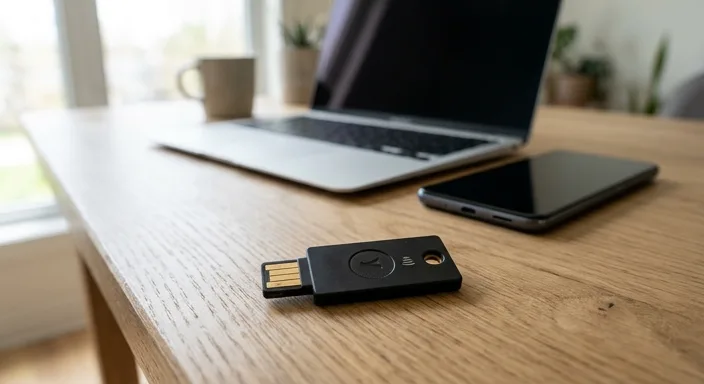
The core technology behind YubiKey is FIDO2 and WebAuthn. This protocol ensures that the key only works with the specific website it was registered to. If you are on a phishing site, the YubiKey will simply refuse to authenticate, because the domain name doesn't match the one stored in its secure element.
Why Hardware MFA is Essential for Crypto
For crypto investors, a YubiKey provides three critical layers of defense:
- Phishing Resistance: As mentioned, hardware keys cannot be "tricked" by fake websites.
- Remote Attack Prevention: An attacker in a different country can steal your password, but they cannot physically touch your YubiKey.
- Reduced Reliance on Mobile: By removing the phone as a point of failure, you eliminate the risk of SIM swapping and mobile malware stealing your TOTP codes.
Setting Up YubiKey on Major Exchanges
Most major cryptocurrency exchanges, including Binance, Coinbase, Kraken, and Gemini, support YubiKey through the FIDO2/U2F protocol. Here is the general workflow for integration:
- Log in to your exchange account and navigate to Security Settings.
- Locate the Two-Factor Authentication (2FA) section.
- Select Security Key or Hardware Key as your preferred method.
- Insert your YubiKey into your USB port (or tap via NFC on your phone).
- Follow the on-screen prompts to "Register" the key. You will be asked to touch the gold contact point on the device.
- Crucial: Disable SMS and App-based MFA if the exchange allows it, or move the Security Key to the highest priority.
Securing Your Email Gateway
Many people secure their exchange accounts but forget their email. Your email is the "master key" to your digital life. If an attacker gains access to your Gmail or Outlook, they can initiate password resets for almost every financial service you use. YubiKeys are compatible with Google (Advanced Protection Program), Microsoft, and Apple ID. Securing your email with a hardware key is perhaps more important than securing the exchange itself.
Best Practices and Backup Strategies
The biggest risk with hardware-based MFA is losing the physical key. If you lose your YubiKey and don't have a backup, you could be locked out of your accounts for days while waiting for manual identity verification from exchange support teams.
The "Rule of Two": Always buy at least two YubiKeys. Register both keys to every account simultaneously. Keep one on your keychain for daily use and store the other in a secure, fireproof location (like a safe or a deposit box) as a primary backup.
Frequently Asked Questions
Can I use a YubiKey on my mobile phone?
Yes. Modern YubiKeys (like the 5C NFC or 5Ci) support NFC (Near Field Communication) or Lightning/USB-C connectors, making them compatible with both iOS and Android devices.
What happens if I lose my YubiKey?
If you have registered a backup key, you simply use the backup to log in and remove the lost key. If you have no backup, you must contact the service provider's support team to prove your identity, which can be a long and difficult process.
Does YubiKey store my crypto?
No. A YubiKey is an authentication device, not a hardware wallet. It protects the *access* to your accounts (like Coinbase or Binance). To store crypto directly on a device, you need a hardware wallet like a Ledger or Trezor.