Free Guide: How to Choose the Best Hardware Security Key for Crypto in 2024
Jump to Section
In the world of cryptocurrency, the mantra is "not your keys, not your coins." While most people apply this to their private keys, they often overlook the "front door" to their digital assets: their exchange logins and email accounts. If an attacker gains access to your Coinbase, Binance, or Kraken account through a phished password or a SIM swap, your funds can disappear in seconds.
Hardware security keys are the ultimate defense against these remote attacks. Unlike SMS-based 2FA or even app-based authenticators (like Google Authenticator), a physical security key requires you to have the actual device in your hand to authorize a login. In this guide, we will break down how to choose the right one for your specific crypto workflow.
Understanding Hardware Security Keys for Crypto
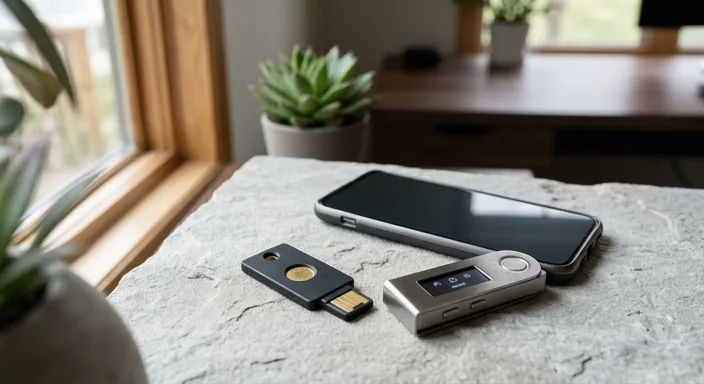
A hardware security key is a small device, often resembling a USB thumb drive, that acts as a physical "token." When you log into a crypto exchange, the site sends a challenge to the key. The key signs this challenge using cryptography and sends it back. Because this happens locally on the device, your secret credentials never travel across the internet.
It is important to distinguish these from Hardware Wallets (like Ledger or Trezor). While hardware wallets store your private keys and sign transactions, Security Keys (like YubiKeys) manage the authentication to the web services where you might keep or trade your crypto.
Essential Protocols: U2F, FIDO2, and WebAuthn
When shopping for a key, you will see terms like FIDO2 and U2F. These are the "languages" the key speaks.
- U2F (Universal 2nd Factor): The original standard. It requires a username and password first, then the key as a second step.
- FIDO2 / WebAuthn: The newer standard that allows for "passwordless" login. It is more secure and supports advanced features like resident keys.
For crypto users in 2024, ensuring your key supports FIDO2 is non-negotiable. Major exchanges have moved to support these modern standards to provide the highest level of protection against sophisticated phishing kits.
Connectivity: USB-A, USB-C, and NFC
Your choice of key depends heavily on the devices you use to trade. If you only trade on a desktop, a standard USB-A or USB-C key is fine. However, most crypto users manage their portfolios on the go.
NFC (Near Field Communication) is a critical feature for mobile users. It allows you to tap your security key against the back of your iPhone or Android device to authenticate. If you use a mobile exchange app, look for a key with "NFC" in the name.
If you use an iPad or a modern MacBook, ensure you get a USB-C model to avoid the "dongle hell" of carrying adapters just to log into your accounts.
Durability and Form Factor Considerations
Hardware keys come in two main shapes: "Keychain" and "Nano."
Keychain models are designed to live on your house keys. They are rugged, often waterproof, and made of reinforced plastic or metal. These are best for your "Primary" key that you carry with you.
Nano models are tiny and designed to sit flush inside your computer's USB port. These are great for people who don't want to remove the key, but they are easier to lose and don't typically offer NFC for mobile use.
Certifications: What FIPS 140-2 Means
For the average retail investor, a standard security key is plenty. However, if you are managing high-net-worth institutional funds, you may see FIPS 140-2 certified keys. This is a US government computer security standard used to approve cryptographic modules.
FIPS-certified keys are more expensive and undergo rigorous testing to ensure they are tamper-resistant. While not strictly necessary for everyone, they provide an extra layer of peace of mind for "whales" or professional traders.
Top Brands to Watch in 2024
The market is currently dominated by a few reliable players:
- Yubico (YubiKey): The gold standard. Their 5-Series keys support almost every protocol (U2F, FIDO2, OTP, PIV) and are incredibly durable.
- Google Titan: A solid, more affordable option that focuses strictly on FIDO standards. Great for those who primarily use Google services and major exchanges.
- Feitian: Offers a wide variety of form factors, including biometric (fingerprint) keys, which add a layer of biometric security to the physical token.
The Essential Backup Strategy
This is the most important part of this guide: Buy at least two keys.
If you lose your only security key, getting back into your crypto exchange account can be a nightmare involving long identity verification wait times with customer support. Most platforms allow you to register multiple keys. You should have a "Primary" key on your keychain and a "Backup" key locked in a safe or stored at a trusted secondary location.
Frequently Asked Questions
A hardware security key is a physical device that uses U2F or FIDO2 protocols to provide high-level multi-factor authentication (MFA). It prevents unauthorized access to crypto exchanges and wallets by requiring physical possession of the device to log in.
Yes, significantly. SMS 2FA is vulnerable to SIM swapping. Hardware keys like YubiKeys are immune to phishing and remote attacks because the secret key never leaves the physical hardware.
Yes, a single hardware security key can be registered to multiple accounts across different platforms like Binance, Coinbase, Kraken, and Gmail simultaneously.
No. A security key protects your *account access* (login). A hardware wallet (like a Ledger) protects your *on-chain transactions* (spending). You should ideally use both for a complete security stack.